Designing an MCP Integration
Wrapping an internal system as an MCP server is a design exercise, not just plumbing. The goal is a server that exposes exactly the capabilities an agent needs — no more — with authentication baked in and results shaped for a model to consume. Get this right and the same server safely serves every AI app in the company.
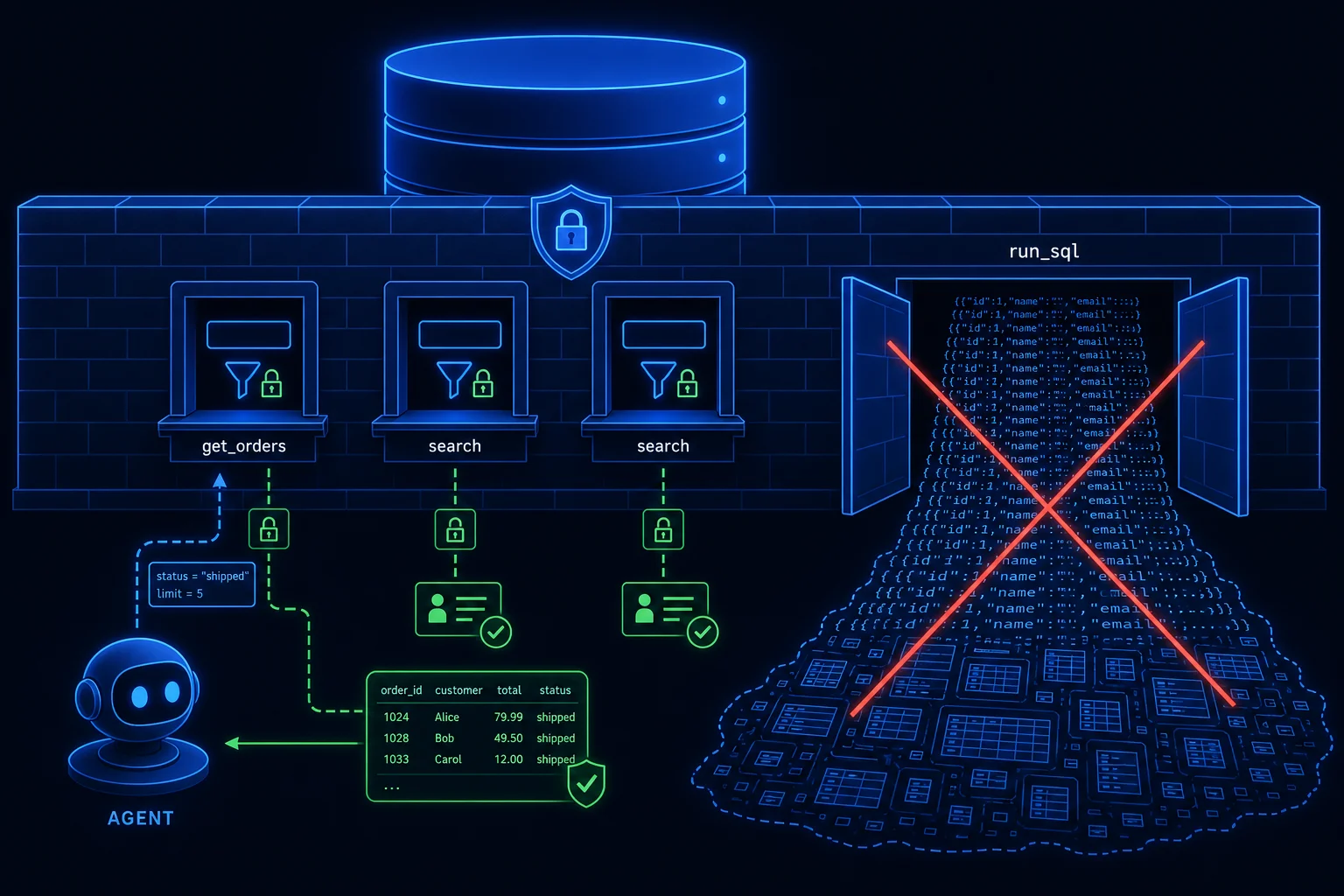
Decide what to expose
Don't mirror your system's full API surface into tools. Start from the agent's job and work
backward to a minimal, scoped capability set. For an internal SQL database, that almost
never means a generic run_sql tool — that hands the model arbitrary write access. Instead:
- Expose narrow, parameterized tools:
get_customer_orders(customerId),search_invoices(dateRange, status)— each backed by a vetted, read-only query. - Expose tables or views as resources when the agent only needs to read reference data.
- For a ticketing system, offer
search_tickets,get_ticket, and a deliberately separatecreate_ticketso write access can be governed independently.
Every tool needs a typed input schema and a clear description — that schema is the contract the model reasons over, and the boundary you validate at.
Authenticate and scope every call
An MCP server is a privileged front door to a real system, so treat it like any internal API:
- Authenticate the connection. Require the host to present a token (OAuth / Entra ID in an Azure shop); reject anonymous clients.
- Carry identity through to the action. Where it matters, the server should act as the end user or a service principal with least-privilege rights — not as a god-mode admin. Row-level security and per-tenant scoping belong here.
- Validate inputs server-side. The model's tool call is untrusted input. Enforce the schema, parameterize queries (never string-concatenate SQL), and bound result sizes.
Shape results and handle failure
Return structured, trimmed results — the columns the agent needs, not a 5,000-row dump that blows the context window and the token budget. Page large result sets and summarize where you can. Make errors machine-readable and safe: a clear "no rows found" or "permission denied," never a raw stack trace or connection string that leaks internal detail.
A .NET shape for it
In practice you'd build this as an ASP.NET Core service using the C# MCP SDK: register each
tool as a typed method, resolve DbContext / HttpClient dependencies through DI, apply
auth middleware on the transport, and deploy to Azure with managed identity to the database.
The result is a reusable, observable capability — the database team owns and secures it once, and
every agent in the org consumes it through one governed interface.