What Tool Calling Is
So far the model has only produced text. Tool calling (also called function calling) lets it do something: fetch live data, query a database, send an email, kick off a workflow. This is the shift from a model that talks to a system that acts — and it is the foundation of every agent you will build as an AI architect.
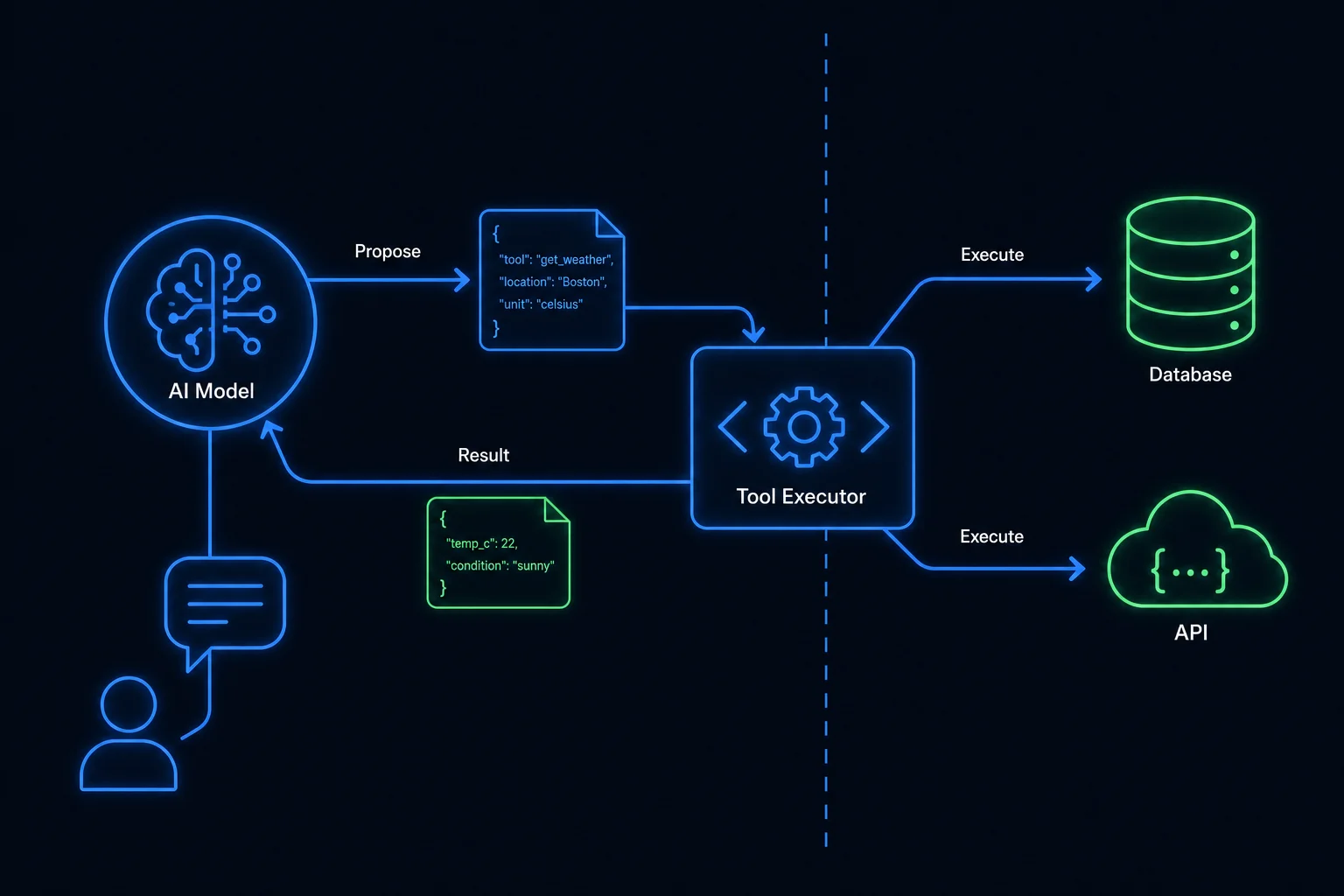
The mechanics
Tool calling does not mean the model runs code. The loop is deliberate and stays under your control:
- You describe your available tools to the model — each with a name, a description, and a JSON-schema for its parameters.
- The user asks something. The model decides whether a tool is needed, and if so, returns a
structured request: call
getEnrollmentStatuswith{ "userId": 4821 }. - Your code executes that function. You — not the model — own the API call, the SQL query, the credentials, the network access.
- You return the result to the model, which folds it into a natural-language answer.
The model only ever emits intent as structured JSON. The model proposes; your code disposes. Nothing happens that your code didn't explicitly run.
Why it matters in the enterprise
A pure language model is frozen at its training cutoff and walled off from your systems. Tool calling is how you connect it to reality:
- Fresh, authoritative data — pull the customer's actual order, today's inventory, the current exchange rate, instead of hallucinating.
- Action — create a ticket, schedule a meeting, trigger a deployment.
- Grounding in your systems of record — the model reasons over your data, governed by your access controls, not a vague memory.
In .NET, a tool is usually just a method. With the Azure OpenAI SDK or the Semantic Kernel
framework, you annotate a C# method, describe its parameters, and the runtime handles serializing
the schema and dispatching the call. The model picks the method; your KernelFunction runs it.
Where the model still isn't in charge
This is the point every architect must internalize: the model never touches your systems directly. It returns a request; your code validates it, decides whether to honor it, executes it under your permissions, and hands back the result. Every safety control — allow-listing, argument validation, human approval — lives in your code, in that gap between the model's request and the actual execution.
LyraLearn uses tool calling in its admin and content-ingestion paths, where acting on the system is the point. But its student-facing AI Tutor deliberately has no tools — a design choice we return to in lesson 4, and one that closes off an entire class of attack.